Traceable’s AI Features utilize the power of Generative AI to provide a more intuitive and intelligent user experience across the platform. Traceable now provides intelligent, context-sensitive insights across the platform by leveraging enterprise-level large language models (LLMs) powered by Amazon Bedrock. These features are created to transform how you interact with security information, making it easier for your teams to extract insights, understand and analyze them, and take the necessary action.
Currently, the AI features allow you to do the following:
Enable AI-driven insights for Issues and Threat Activity, which you can use to analyze issues and prioritize remediation accordingly.
Enable the AI-powered chatbot, which you can use to extract insights from various sources.
Enable the AI-powered auth generator, which you can use to generate an authentication code according to the prompts you provide.
For information on enabling these features, see Enablement.
Key Capabilities and Benefits
The following are some key capabilities and benefits of AI features in Traceable:
Deeper and Contextual Insights — The auto-generated insights provide a clear understanding of the issue with context tailored to the related API traffic. This insight explains the nature of the issue, how it was detected, and the suggested remediation method.
User-Friendly Outputs — The insights are presented in simple language, making them easy for developers, quality assurance teams, and product teams to understand.
Privacy-First Architecture — Traceable does not use your data to train AI models. All the data is processed securely and remains private.
Enablement
Enabling AI features in Traceable allows you to leverage advanced LLM-powered functionality across the platform. The following sections discuss the prerequisites and steps to enable these features.
Before you begin
To enable the AI features, you must have the Account Owner role or the corresponding permissions in the Traceable platform.
Enabling AI Features
You can enable AI features in either of the following ways:
Using the Pop-Up — When you log in to the Traceable platform, Traceable shows the pop-up for the AI feature. In this pop-up, you can click Enable AI Features. This enables all current and future AI features for your account by default.
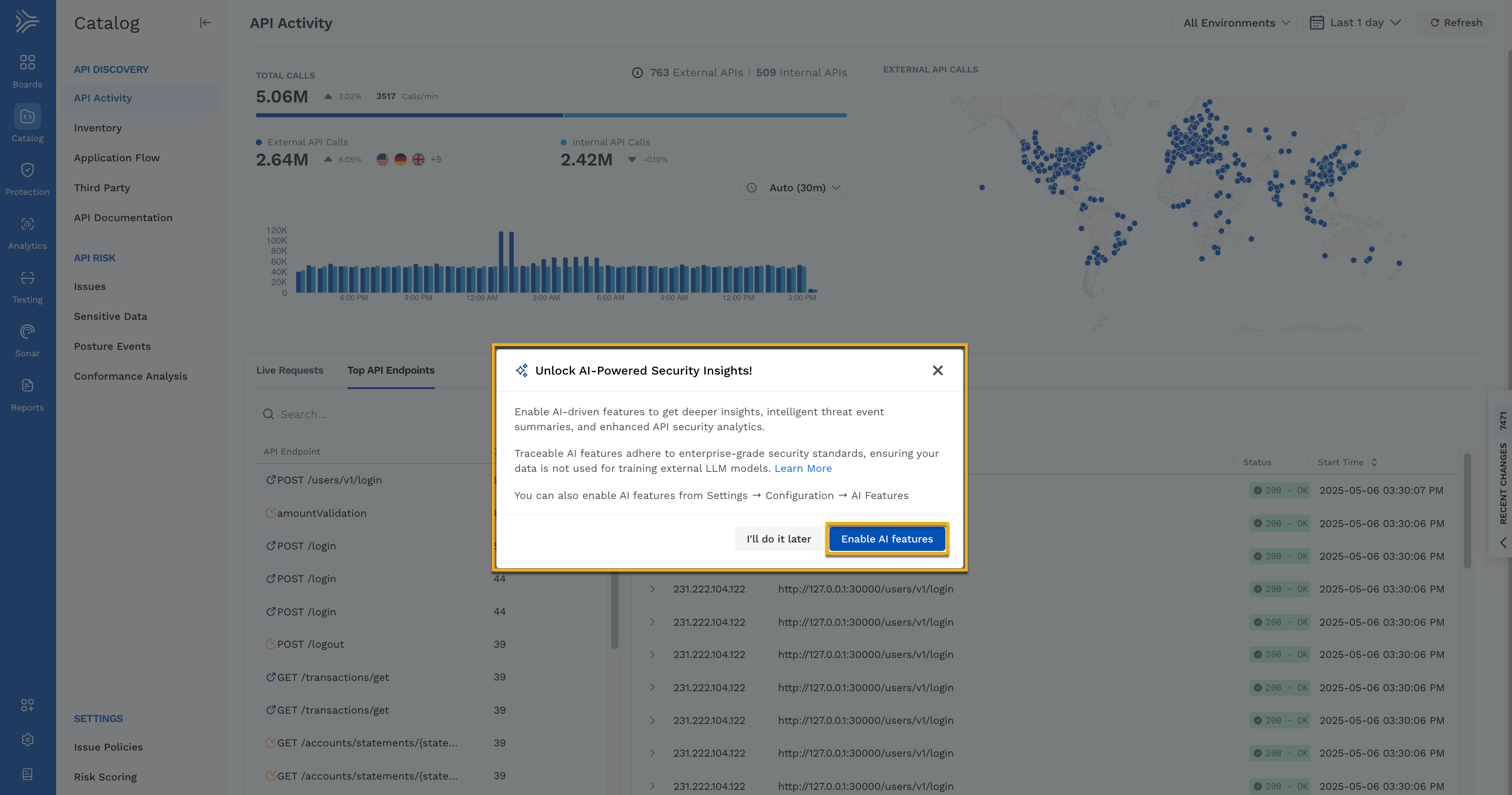
AI Insights Opt-In Pop-Up
Using the AI Features Page — You can navigate to Settings → Configuration → AI Features, and click the toggle corresponding to Enable all AI Features or each feature to enable it according to your requirements.
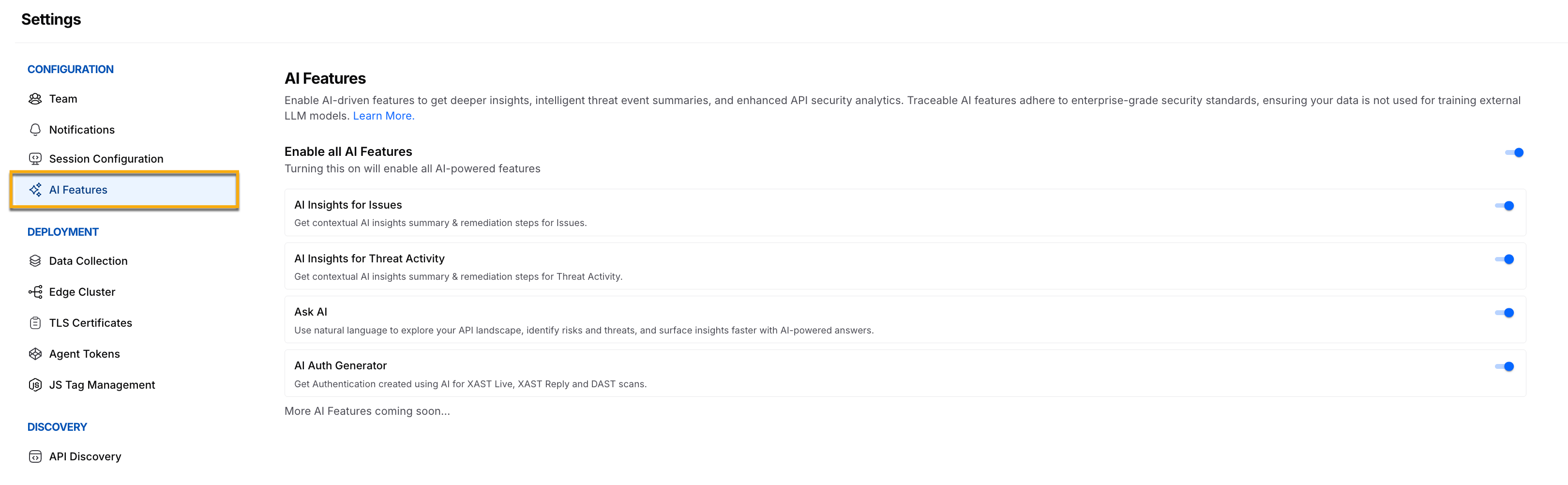
Enabling AI Features
See AI Features FAQs for answers to common questions related to data handling, privacy, and disabling the features.