Traceable's advanced alert conditions allow you to compare specific attributes, such as threat type and severity level, against expected values or against one another, rather than relying on simple event triggers alone. The following table describes the different available attributes, event type, and its description:
Category attributes | Event Type | Description |
|---|---|---|
Threat Actor |
| Provides visibility into threat actors associated with suspicious or malicious activity. |
API Protection |
| Provides visibility into API protection policies and their enforcement. |
Custom Signature |
| Provides visibility into custom signature policies for organization-specific threats and attack patterns. |
Data Loss Prevention |
| Provides visibility into sensitive data exposure and prevention activities. |
Exclusions |
| Provides visibility into policy and detection rule exclusions. |
Enumeration |
| Provides visibility into enumeration attempts targeting resources, accounts, or identifiers. |
Malicious Sources |
| Provides visibility into traffic originating from known malicious sources. |
Rate Limiting |
| Provides visibility into rate-limiting policies and enforcement actions. |
Security Event – Rule Triggers |
| Provides visibility into security events generated by policy and rule violations. |
Threat Auto Blocking |
| Provides visibility into automated threat-blocking actions. |
Threat Scoring Configuration |
| Provides visibility into threat-scoring criteria and risk assessments. |
Web Application Firewall |
| Provides visibility into web application firewall protections and events. |
Advanced alert configuration sample scenarios
The following sample scenarios demonstrate how to configure condition groups and conditions for Protection alerts for the Update Event type:
Scenario 1 — Alert on high-severity threats matching specific threat types and rules
You wish to be notified only when Traceable detects a threat of a specific type, such as a JWT violation, and it is elevated to High or Critical severity. To configure this, create the outer condition groups with Match All, so both groups must evaluate to true before the alert triggers.
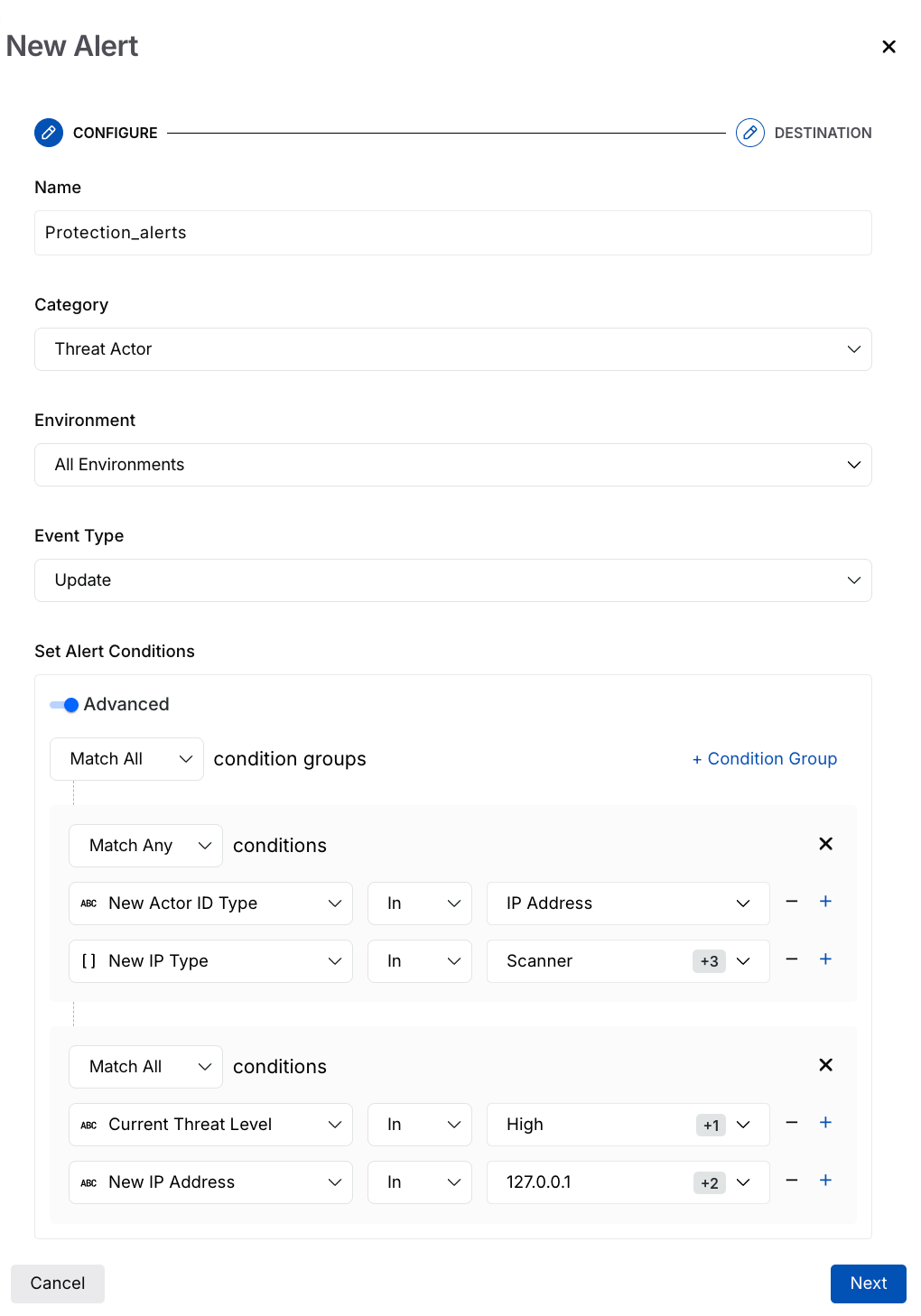
Protection Alert Use case
Condition Group 1 (Match All)
Attribute | Operator | Value |
|---|---|---|
New Threat Type | In | JWT Violation, Schema Validation |
New Severity | In | High, Critical |
Condition Group 2 (Match All)
Attribute | Operator | Value |
|---|---|---|
Current Threat Level | In | High, Critical |
New Threat Rule | In | Response Parameter Type Validation Error, JWT Expiry. |
This configuration ensures that Traceable evaluates whether the actor is identified as IP-based or scanner-type, and confirms that the threat level is High or Critical against your tracked IP list. As a result, you receive an alert only when both conditions are matched.
Scenario 2 — Notify when a threat actor's risk level escalates to high or critical
You wish to be notified when a threat actor's risk climbs to High or Critical. To configure this, set the outer condition groups to Match All, so both groups need to hold true before the alert fires.
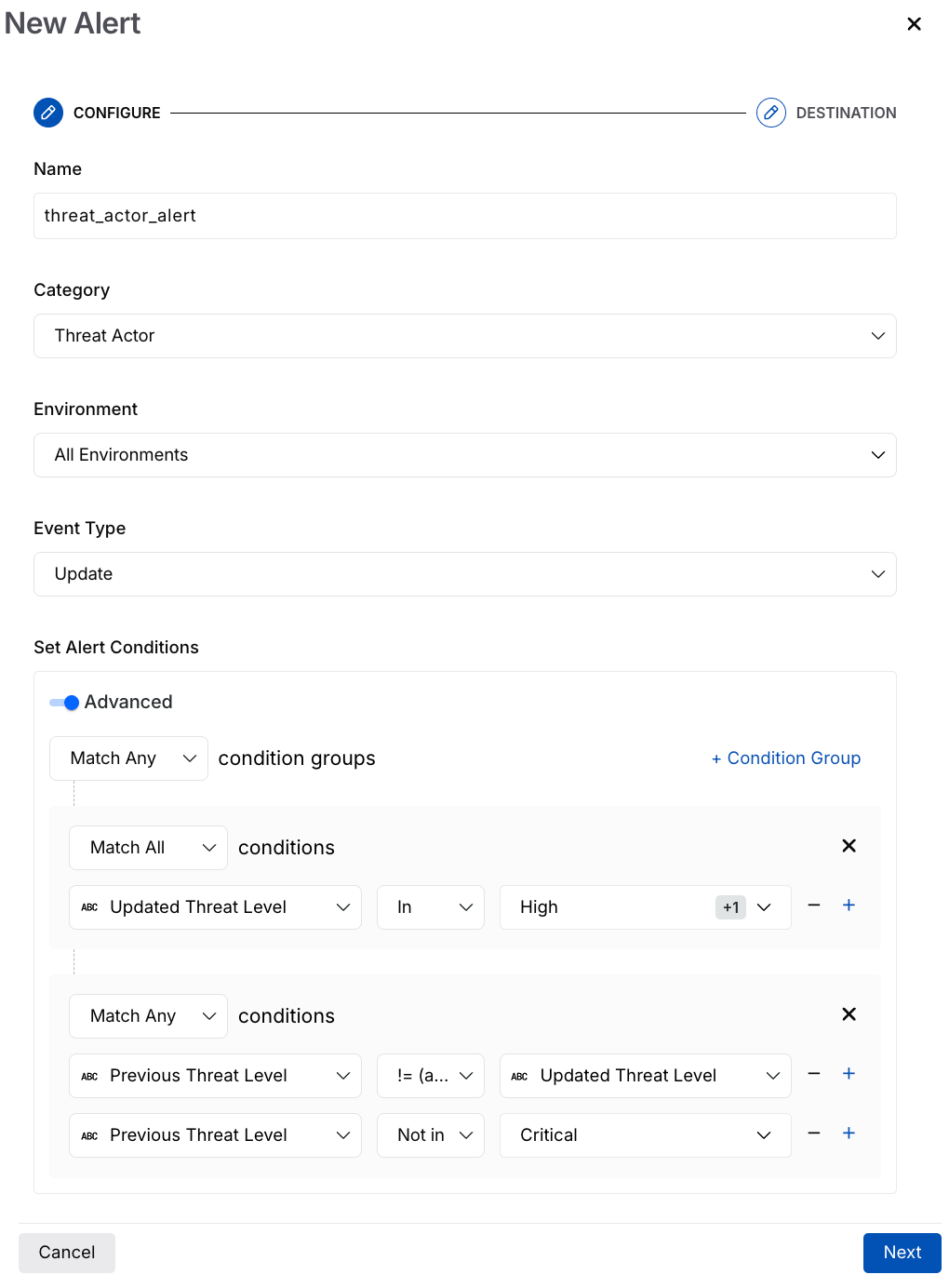
Protection Alert use-case
Condition Group 1 (Match All)
Attribute | Operator | Value |
|---|---|---|
Updated Threat Level | In | High, Critical |
Condition Group 2 (Match Any)
Attribute | Operator | Value |
|---|---|---|
Previous Threat Level | != | Updated Threat Level |
Previous Threat Level | Not In | Critical |
This ensures that Traceable generates a notification only when the updated threat level reaches High or Critical. It also verifies that the threat level has changed meaningfully by confirming that either the previous threat level differs from the current level. As a result, notifications are generated only when a threat actor's risk genuinely increases, preventing duplicate notifications for threat actors that are re-evaluated and remain at the Critical threat level.