The following features and navigational changes are planned for an upcoming Traceable release. This page will be updated as new details become available.
September 2026 updates
Policies navigation updates
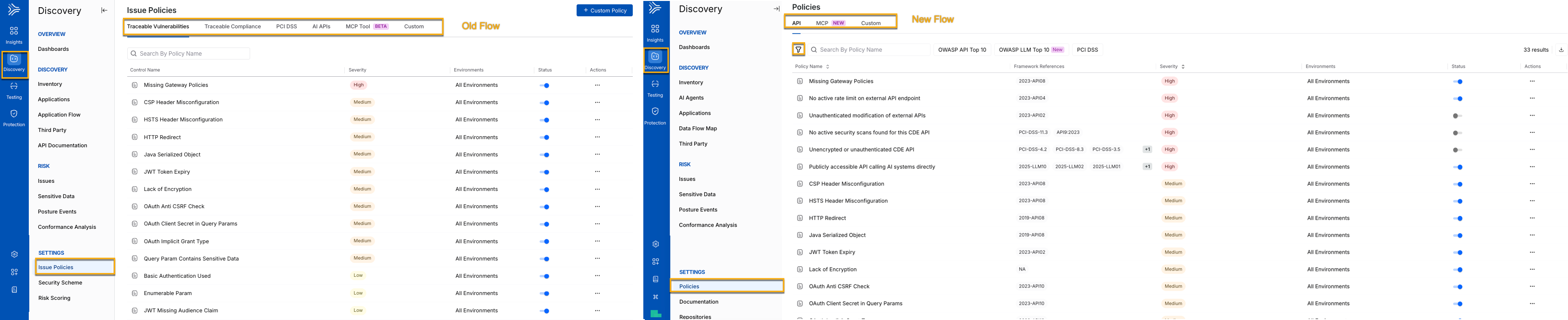
Old Vs. New Navigation For Policies
New flow policy organization
Traceable now organizes policies by the type of protection they provide, making it easier to find and review policies by asset type.
API — Traceable-shipped policies that protect API assets.
MCP — Traceable-shipped policies that protect MCP assets, including Tools, Resources, and Prompts.
Custom — Policies created by your organization, with dedicated options to create, edit, and delete policies.
Filter policies
Use multiselect filters to narrow the policy list by specific criteria. Traceable applies AND logic across filter categories and OR logic within a category.
Tab | Available filters |
|---|---|
API | Is AI API, Framework, Framework References, Severity, Status |
MCP | Asset Type, Framework, Framework References, Severity, Status |
Custom | Severity, Status |
Filter by framework
Use the framework chips to quickly filter policies by the applicable framework:
API: OWASP API Top 10, OWASP LLM Top 10, PCI-DSS.
MCP: OWASP MCP Top 10.
View framework references
The Framework References column shows all framework codes mapped to each policy, such as 2023-API08 or 2025-MCP07, helping you assess framework coverage directly from the policy list.
Note
The Framework References filter label has been consolidated.
Discovery sources navigation updates
API Documentation and Repositories have moved to Discovery Settings. API Documentation is a discovery source that is configured infrequently, while Repositories enable code repository-based API discovery. Centralizing both under Settings brings discovery sources and their configuration into one place, providing a more consistent and streamlined Discovery experience. API Documentation is now available as a separate Documentation page, while Repositories are available on a dedicated Repositories page.
The following screenshot highlights the navigational changes:
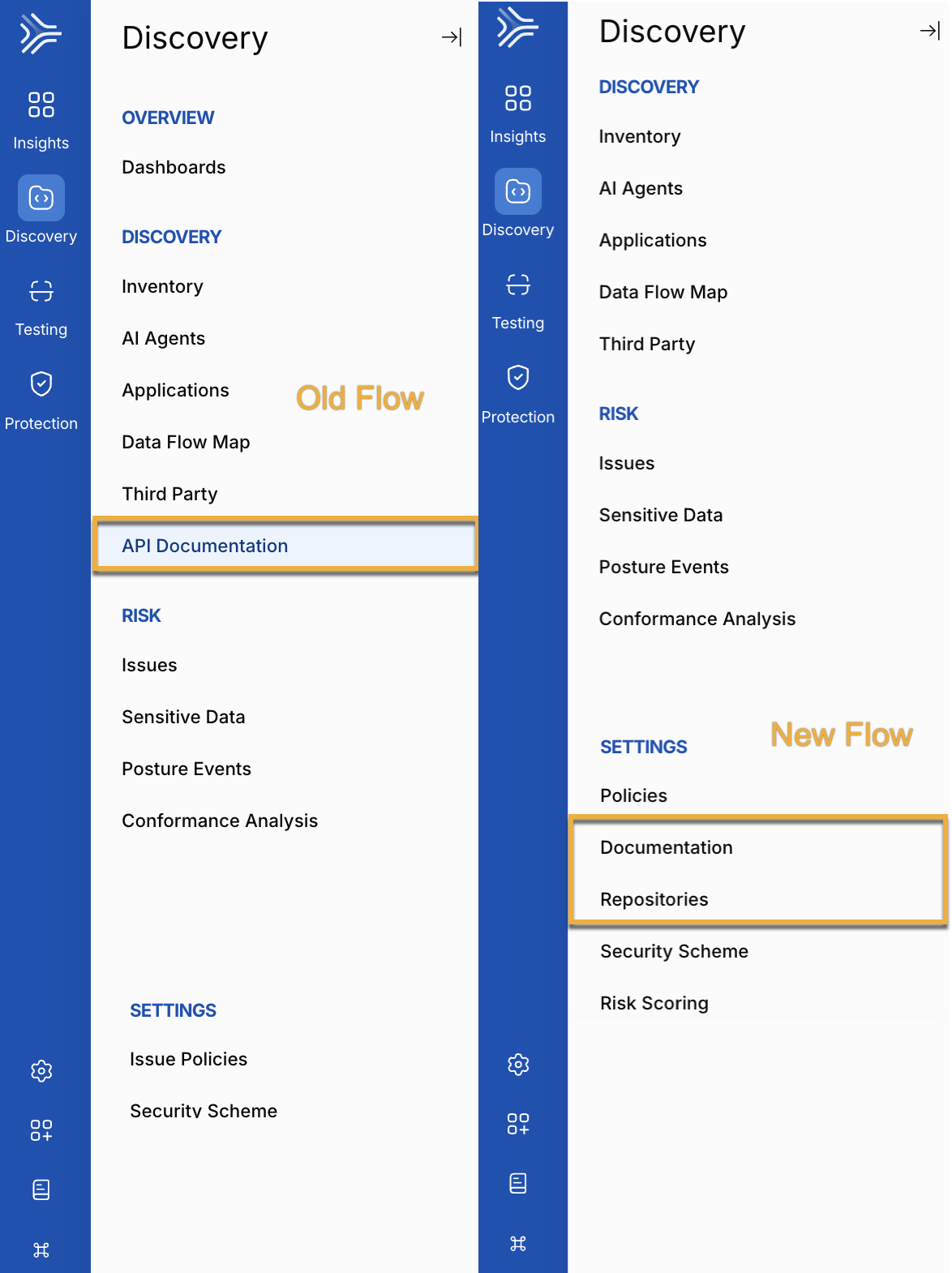
Old Vs. New Flow for Documentation