If you wish to generate an authentication method using a mechanism not listed, select from the drop-down menu and specify your own authentication logic. You can define the mechanism in either of the following ways:
Using AI
Using Code
The following tabs highlight detailed information on the above methods:
Traceable allows you to create an authentication code using AI. Traceable facilitates this using prompts.
Note
To enable this feature, navigate to Settings → AI Features, and enable the AI Auth Generator toggle.
To ensure accurate and secure code generation, you must structure your prompt with the following guidelines in mind:
Validate first — Test your authentication flow independently to confirm that it works end-to-end before submitting it.
Specify the Auth method — Clearly specify the exact authentication mechanism you wish to generate the code for, such as API Key, JWT, or Mutual TLS.
Provide all necessary inputs — Include all necessary details, such as keys, secrets, endpoints, scopes, headers, and formats. Traceable recommends using placeholders only where intentional.
Describe the full logic — Outline the complete token flow, including information on how to obtain it, where Traceable should inject it, and any retry or refresh steps involved.
The following are some sample prompts categorized by Auth Type. You can replace the placeholder values in these prompts and specify them on the Traceable platform.
Note
When generating authentication code using AI, ensure that you do not include any real keys, secrets, or tokens in the prompt.
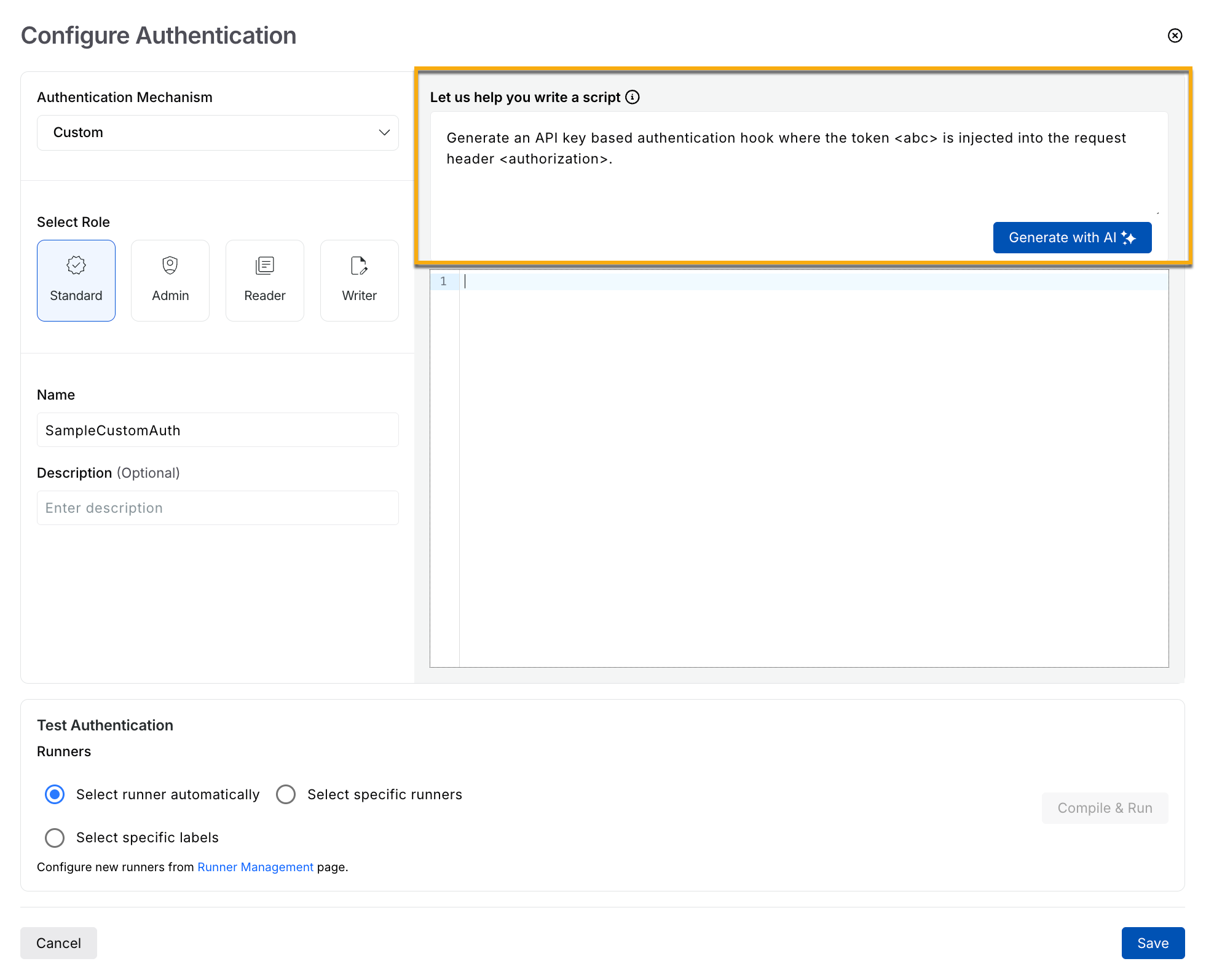
Generating Custom Authentication Code using AI
Auth Type | Prompt |
|---|---|
API Key | Generate an API Key-based authentication hook where the token |
Basic Auth | Generate a Basic Auth-based authentication hook where the username is |
Bearer | Generate a bearer token-based authentication hook where the token < |
HMAC | Generate an HMAC-based authentication hook with the following inputs: Access Key: Secret Key: Algorithm: HMAC SHA 256 Signature Header: |
JWT |
|
PoP Token Signature | Generate a PoP Token Signature-based authentication hook where the key is |
Content Signature | Generate a Content Signature-based authentication hook where the secret key is |
You can write authentication code in Python, depending on your comfort level and the complexity of the use case. Writing an authentication code is a multi-step process. The following sections outline the information you need to create code for an authentication mechanism.
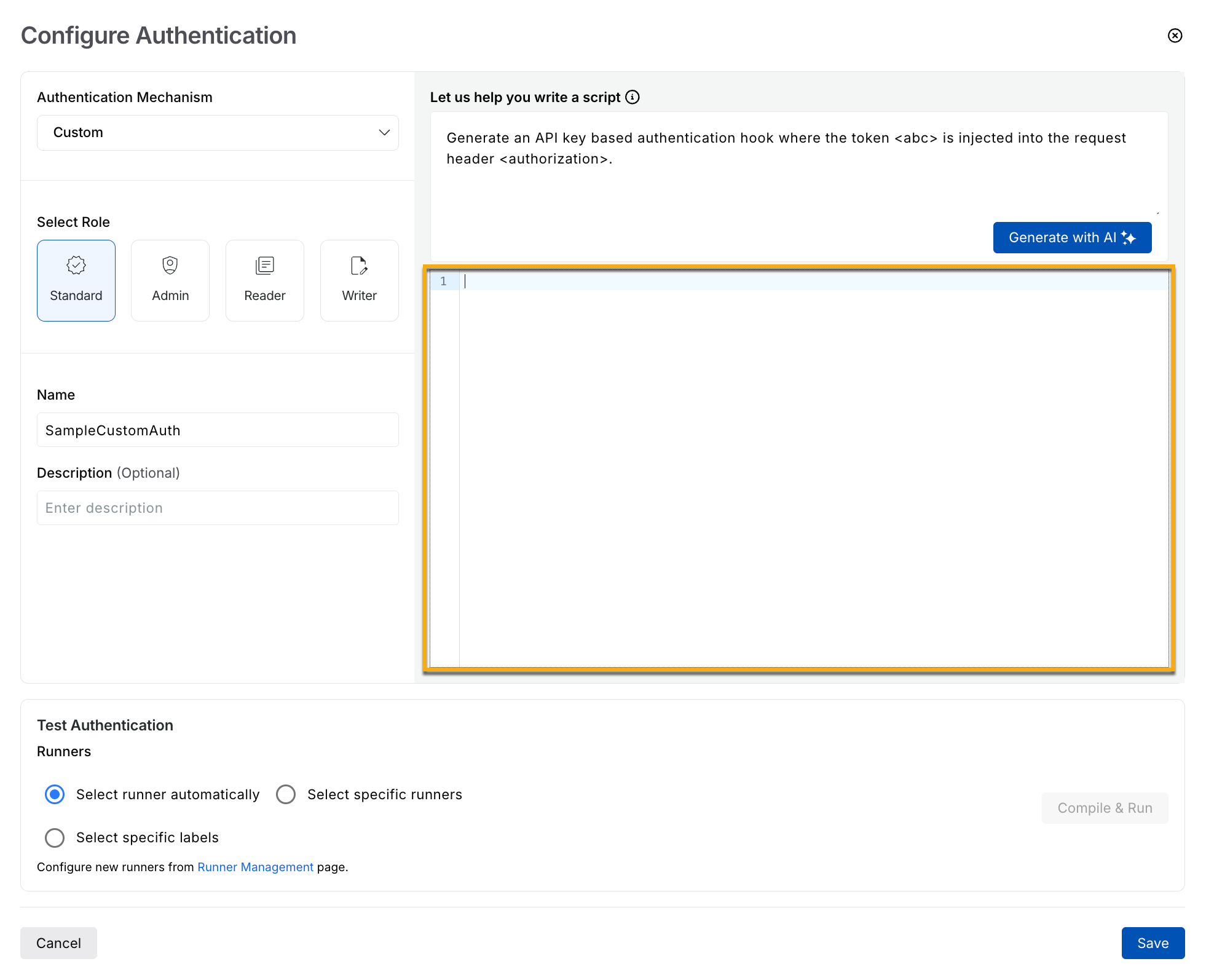
Configuring Custom Authentication using Code
Understanding the components
The following table outlines the components required to implement an authentication mechanism, along with a description of each.
Component | Description |
|---|---|
ScanContext | This stores the scan context and remains available throughout the entire scan duration. It functions like a dictionary (built on Python’s Hooks use simple The following is a sample logic that you can use: |
PluginContext | This stores information needed throughout the plugin’s execution. It behaves like a dictionary (built on Python’s
Hooks use this context to quickly access plugin details, enabling logic that is specific to a particular plugin, API, or service. The following is a sample logic that you can use: |
TestCase | This represents an individual test within a plugin. It contains all the details for that test, handles the request execution, and is the level at which authentication hooks are applied. Hooks interact with the test case to access or update its attributes, typically as the first step when preparing or modifying a request. The following is a sample logic that you can use: |
Writing the hook
Hooks consist mainly of two components:
Token Generation — Each hook must generate an authentication token before sending the request. Some mechanisms (such as API keys) provide the token directly, while others (such as PoP tokens) require custom logic. When creating custom logic, ensure the token-generation steps are accurate.
Token Injection — After generating the token, the hook injects it into the request, usually in the header, cookie, or query parameters. You can define where Traceable should inject the token.
The following sections outline the guidelines for syntax and usage of various components in the authentication hook:
Library Usage
You can import any internal Python libraries directly.
You can also import any libraries listed in the requirements file.
To use a library that is not included in the requirements file or is not an internal library, refer to the example below:
sys.path.extend(["/usr/lib/python3/dist-packages"])
import boto3  # sample library to import
print(boto3.__file__)  # debug log to check import
Logging Syntax
To log anything inside the hook, you can use the following syntax:
import logging
logger = logging.getLogger("traceable.cli.scan")
logger.info("Running hook for plugin %s" % pluginctx.get_plugin_metadata().name)
Sending a Request
In many hooks, you may need to call an endpoint, such as a login API, to obtain an authentication token from its response. Use the following syntax to send HTTP requests from within a hook:
# Fetch the http client from testcase
http_client = testcase.get_http_client(uri)

# Add mandatory "x-traceable-ast" header to the existing headers
headers = {"h1": "v1", "h2": "v2", "x-traceable-ast": "0,0,0"}

# Call the request method to send the request
res, content = http_client.request(uri, method, body, headers)
Note
Sending requests may throw exceptions. Therefore, you should always handle this flow within a try-catch block to prevent unwanted failures.
Session Management
In some cases, generating a token may require multiple sequential requests. To handle these scenarios, you can use Python’s built-in requests.Session object to maintain a shared session across requests. For example, you might first log in to the platform and then make additional calls within the same session to retrieve the authentication token.
Platform Plugin Attributes
Consider the following hook, which injects an API key into the request header:
def api_key_hook(scanctx: ScanContext, pluginctx: PluginContext, testcase: TestCase, **kwargs) -> list[Assertion]:
    attributes = testcase.get_attributes()

    # Replace the placeholder with the actual identifier
    set_key = "<api_key_identifier>"
    # Replace the placeholder with the actual value
    api_key_value = "<api_key_value>"

    # set user
    normal_user = True
    bola_user = False

    # Replace the placeholder with the actual key
    attributes.set("mutated.auth.attribute", "mutated.http.request.header.%s" % set_key)
    # Replace the placeholder with the actual key
    auth_attr = "mutated.http.request.header.%s" % set_key

    if normal_user:
        # Replace the placeholder with the actual value
        attributes.set("mutated.role.user", api_key_value)
        # Replace the placeholder with the actual values
        attributes.set(auth_attr, api_key_value)  # actual injection of token into request

    if bola_user:
        # Replace the placeholder with the actual value
        attributes.set("mutated.role.bolauser", api_key_value)

    return []
The above hook ensures that the API token is added to the request header for all requests sent from the CLI. In addition, you must set the following attributes for the plugins can manage tests:
mutated.auth.attribute— Specifies the location where the token is being injected.mutated.role.user— Stores the actual token for a normal user.mutated.role.bolauser— Stores the actual token for a BOLA user (used by the user-level BOLA plugin described below).
User Level BOLA Plugin Handling
Consider the following hook, which injects an API key into the request header:
def api_key_hook(scanctx: ScanContext, pluginctx: PluginContext, testcase: TestCase, **kwargs) -> list[Assertion]:
    attributes = testcase.get_attributes()

    # Replace the placeholder with the actual identifier
    set_key = "<api_key_identifier>"
    # Replace the placeholder with the actual value
    api_key_value = "<api_key_value>"

    # set user
    normal_user = True
    bola_user = False

    # Replace the placeholder with the actual key
    attributes.set("mutated.auth.attribute", "mutated.http.request.header.%s" % set_key)
    # Replace the placeholder with the actual key
    auth_attr = "mutated.http.request.header.%s" % set_key

    if normal_user:
        # Replace the placeholder with the actual value
        attributes.set("mutated.role.user", api_key_value)
        # Replace the placeholder with the actual values
        attributes.set(auth_attr, api_key_value)

    if bola_user:
        # Replace the placeholder with the actual value
        attributes.set("mutated.role.bolauser", api_key_value)

    return []
Each hook in Traceable must handle two user types: a normal user and a BOLA user. By default, the hook treats the normal user as the active user and sets the required attributes accordingly. If you wish to run a user-level BOLA plugin, you can modify the hook to mark the BOLA user as active instead and set the corresponding attributes.
Attributes Usage
In any hook, Traceable needs to get or set various attributes based on your configuration. For example, if you need to add a token to the authorization header of a request, you would set an attribute in the following manner:
# Replace the placeholder with the actual token
attributes.set("mutated.http.request.header.authorisation", "<token>")
Similarly, to retrieve any attribute, you must access it using the correct key. Traceable follows a specific format for getting and setting attributes; using arbitrary keys may cause the hook to behave unexpectedly. The following are some commonly used attributes.
Note
Traceable uses the same key for retrieving and setting values.
Injection | Attribute | Default Value |
|---|---|---|
Setting a request header | “mutated.http.request.header.<sample>” | NA |
Setting a query param | “mutated.http.request.query.param.<sample>” | NA |
Setting a cookie | “mutated.http.request.cookie.<sample>” | NA |
Fetching URL | “mutated.http.request.url” | NA |
Fetching payload | “mutated.http.request.body” | NA |
Fetching request method | “mutated.http.request.method” | NA |
Setting a path param | “mutated.http.request.path.param.<sample>” | NA |
Fetching host | “mutated.net.host.name” | traceable.ai |
Fetching port | “mutated.net.host.port” | 443 |
Fetching scheme | “mutated.net.host.scheme” | https |
Sample authentication hook template
The following is a sample hook that you can use to define the authentication mechanism using code:
from traceable.ast.context import ScanContext, PluginContext
from traceable.ast.testsuite.assertion import Assertion
from traceable.ast.testsuite.plugin import TestCase
import logging

logger = logging.getLogger("traceable.cli.scan")

def basic_auth_hook(
    scanctx: ScanContext,
    pluginctx: PluginContext,
    testcase: TestCase,
    **kwargs
) -> list[Assertion]:
    """
    Example auth hook for injecting an Authorization request header.
    """

    def generate_token() -> str:
        """
        Handles token generation and caching.
        """
        token_key = "auth_token"
        token = scanctx.get(token_key, None)

        if token is None:
            token = "dummy_token_value"  # can be some complex token generation logic
            scanctx.set(token_key, token)
            logger.info("Generated new token for plugin %s", pluginctx.get_plugin_metadata().name)
        else:
            logger.info("Using cached token for plugin %s", pluginctx.get_plugin_metadata().name)

        return token

    def inject_token(attributes, token: str, normal_user: bool = True, bola_user: bool = False) -> str:
        """
        Injects token into Authorization request header.
        """
        injection_type = "header"
        injection_key = "Authorization"
        auth_attr = f"mutated.http.request.{injection_type}.{injection_key}"

        # Required platform attribute: where we injected the token
        attributes.set("mutated.auth.attribute", auth_attr)

        # Normal user handling
        if normal_user:
            attributes.set("mutated.role.user", token)
            attributes.set(auth_attr, token)

        # BOLA user handling
        if bola_user:
            attributes.set("mutated.role.bolauser", token)

        return auth_attr

    # ---- Main hook logic ----
    attributes = testcase.get_attributes()

    # Step 1: Generate/fetch token
    token = generate_token()

    # Step 2: Inject token into Authorization header
    auth_attr = inject_token(attributes, token)

    # Step 3: (Optional) Return assertion
    return [
        Assertion.create(
            auth_attr,
            "MATCH_OPERATOR_EQUALS",
            "${%s}" % auth_attr,
            token
        )
    ]